
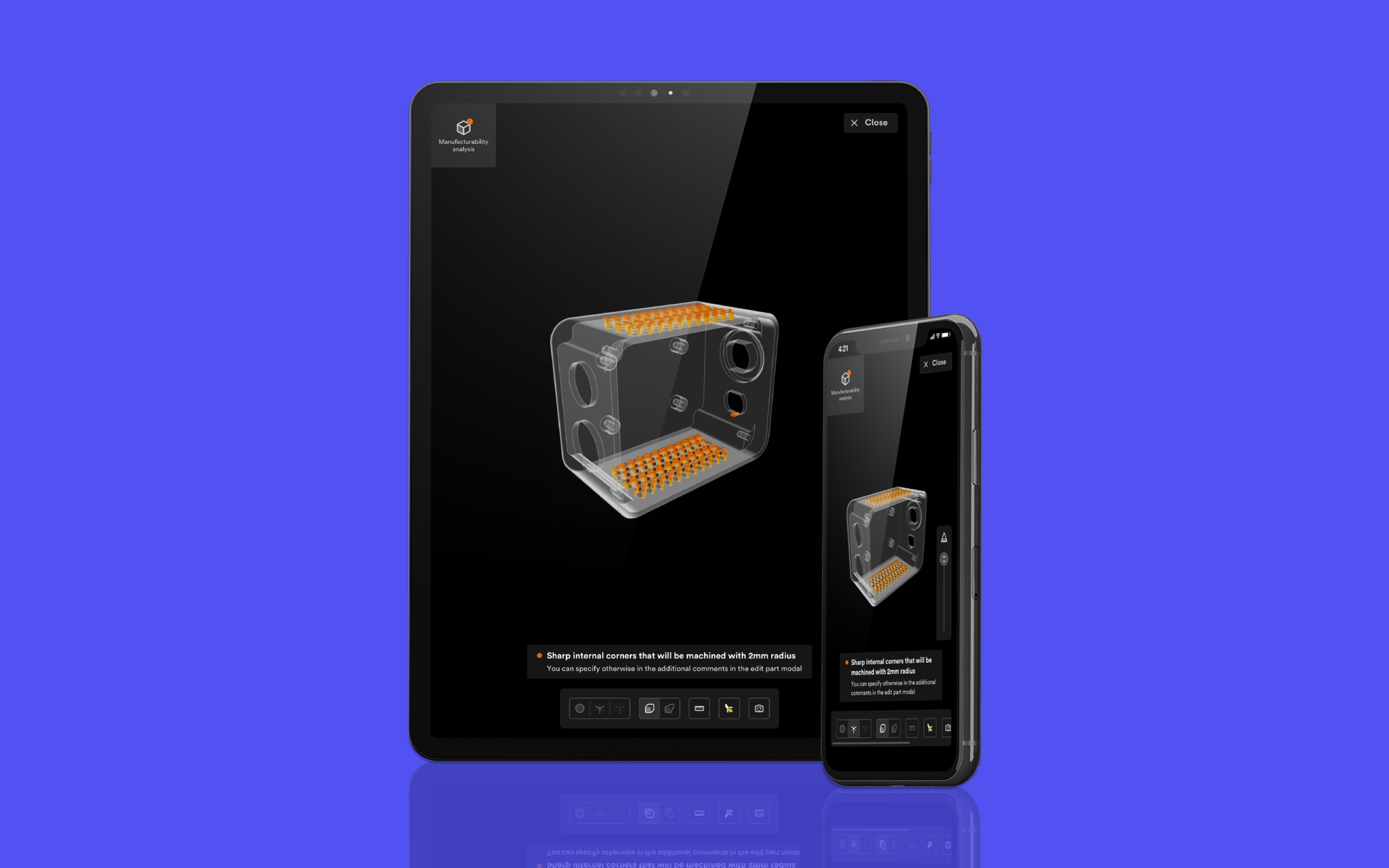
Helping manufacturing partners review 3D parts and acquire orders on-the-go
Length: 1 Month
Role: Senior Product Designer (UX/UI)
Skills: UI design, Responsive design, Prototyping, Interaction design, and User testing
The Problem
For Hubs manufacturing partners (MP’s) the 3D part viewer is vital in the acquisition and production stages of an order. Before accepting an order MP’s need to review the parts to check whether they have been correctly designed for manufacturability (DfM) and if they’re actually manufacturable within their own production capabilities.
Once an order has been placed by a customer on the Hubs platform, selected MP’s from a global network will be allocated and given a short window of time to review and respond. Due to this time constraint and MP’s adopting more modern machinery and processes, we have seen a growing trend of usage from mobiles/tablets. This indicates that MP’s are now reviewing and responding to more orders whilst away from their desktop and working environment.
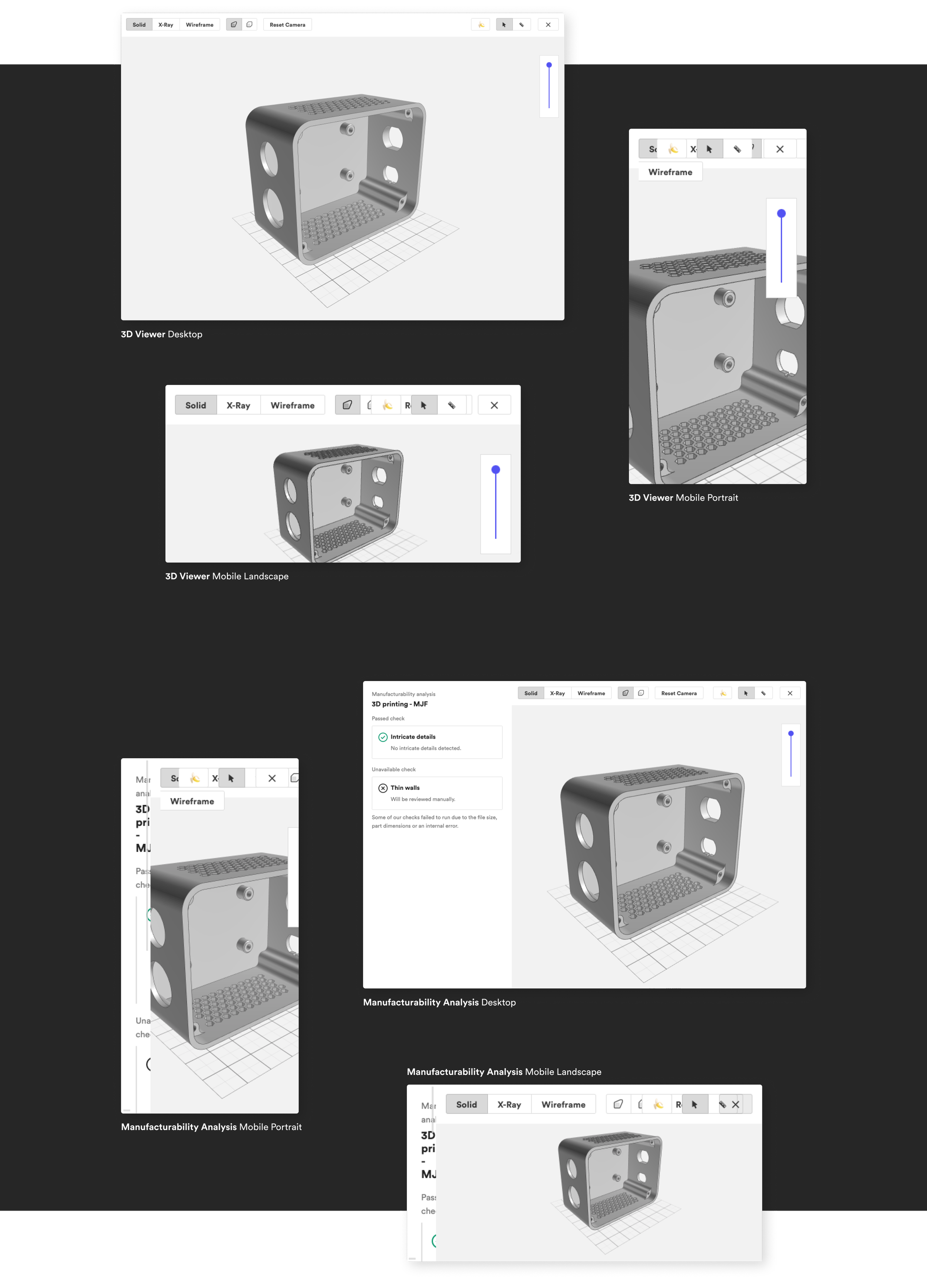
Currently the 3D part viewer is housed within a space constrained modal with only a small amount of space dedicated to examining the 3D model and its DfM analysis.
Above are images of the current 3D part view on various screen sizes and as you can see the experience on smaller screens is in a pretty dire state. With the tool bar and DfM analysis being completely unusable on both landscape and portrait mobile screens.
We already knew that most of the features within the 3D part viewer were unusable on touch devices as they had previously been developed to only work with mouse and single click interactions. This meant that a large amount of testing and development time within the scope of the project will need to be devoted to making key features work with more commonly known touch and gesture based interactions.
Through interview sessions with both MP’s and customers we were able to understand which features they were struggling with most and which ones they have less interest of using on touch devices. This allowed us to prioritise which features to address first and give us more time to allocate to other improvement such as UI.
The Tool Bar
The tool bar consists of multiple actions, with each one currently having varying styles and visual treatments. As you can see in the image above, the toolbar itself becomes cluttered and in the worst cases overlapping and unusable once viewing on smaller screens.
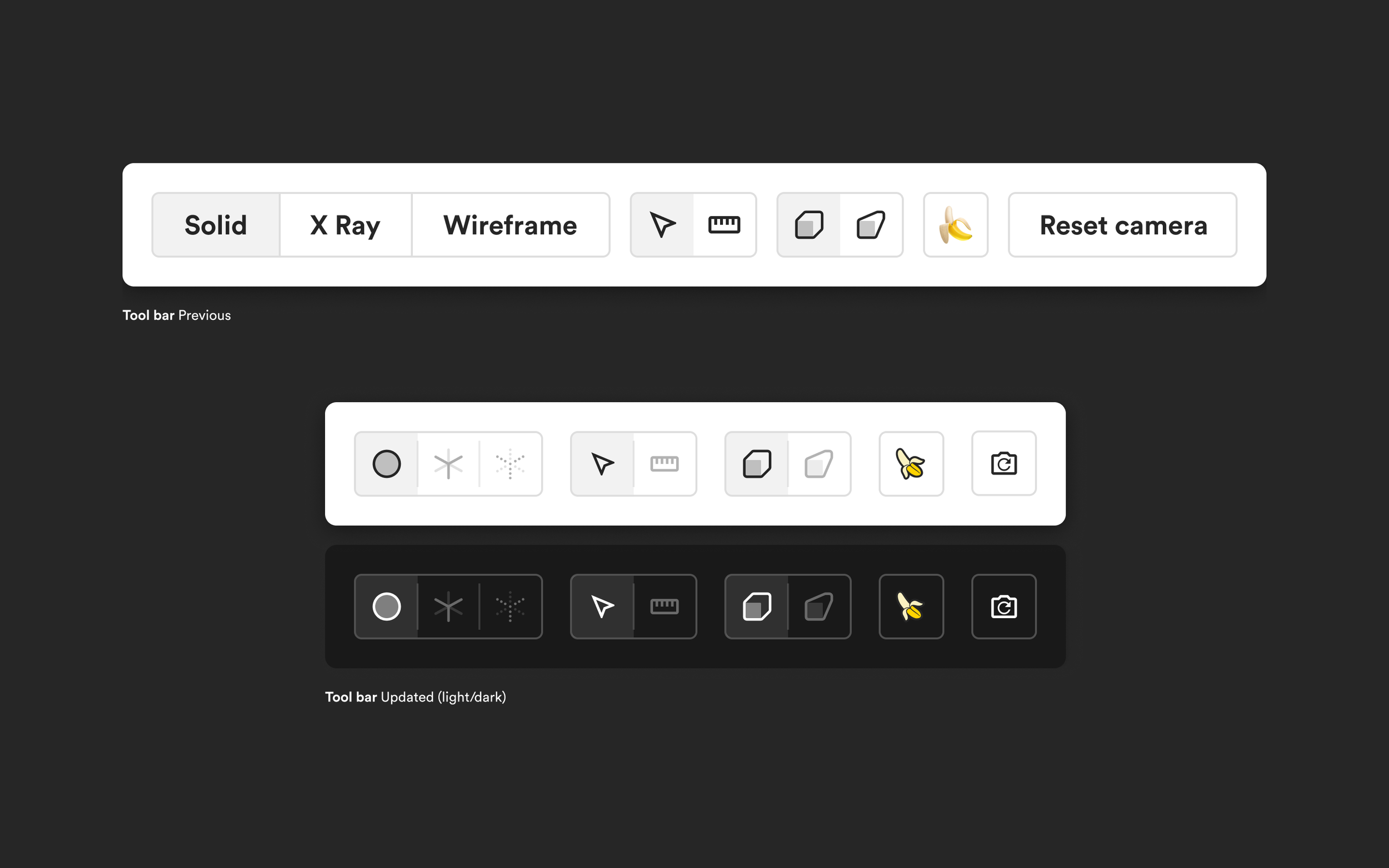
By looking at various 3D CAD/CADD programs used by Mechanical Engineers (our users), it was clear that there were industry standard icons that could be used and easily understood for the viewer options. By replacing the text for ‘Solid’, ’X-Ray’ and ‘Wireframe’ with icons we were able to decrease the overall width of the toolbar, creating a consistent visual language for all actions with the titles appearing on hover for non touch devices.
The Outcome
A fully responsive and scalable design allowing our Manufacturing Partners to respond and acquire orders on-the-go. We can already see that this has significantly reduced time and effort taken to analyse customer parts, leading to an increase in the average number of orders responded to and accepted by our Manufacturing Partners.
But this is only a small part of a much larger plan to improve our Manufacturers experience on the platform…
The Future
Combining all 4 viewers into one cohesive experience for both manufacturing partners and customers.
Allow the user to navigate between parts whilst in the 3D viewer, removing the need to exit and return to the order overview page to access the manufacturability for each part.